NEW IN VERSION 2.0

A foundation rewrite, now shipping — under the same UI.

mailin 2.0 keeps every v1 feature — the persona-driven UI, the full analysis suite, the on-device AI — and rebuilds the storage, ingest, and search layers underneath for archives that were never realistic on v1.

💧

Streaming ingest

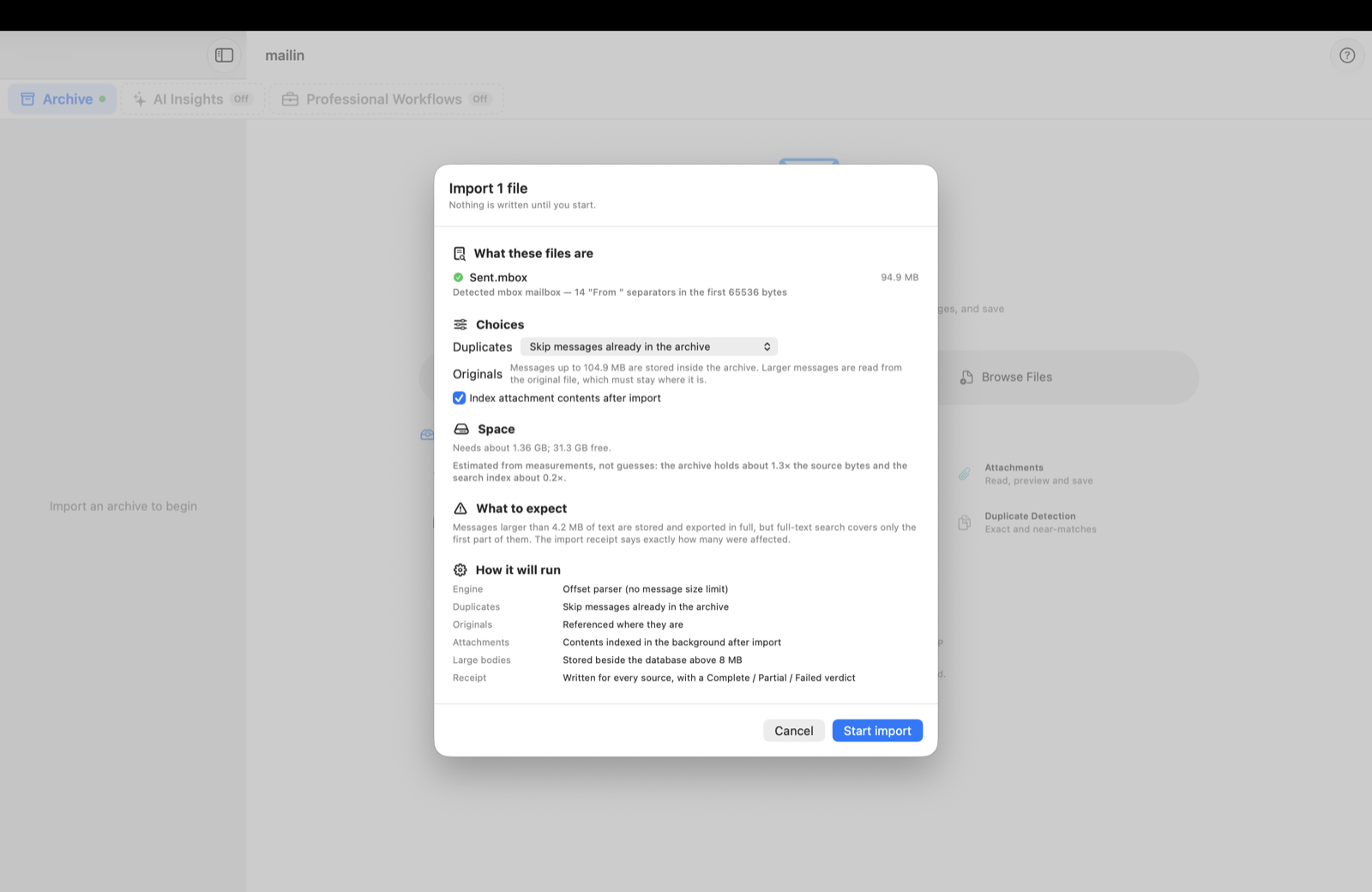
Drop a 200 GB Gmail Takeout and walk away. v2 drains messages in batches of 200; peak memory stays flat regardless of file size.

♻️

Resumable from any crash

Per-file SHA-256 plus per-batch checkpoints. A crash 800 GB into an import resumes from the last batch — re-work capped at one batch of 200 messages.

🔎

Year-sharded FTS5

Search splits across per-year SQLite shards with bm25 ranking. Time-bounded queries hit one shard; cross-archive queries fan out and merge.

Keyset pagination

Jump to email #1,000,000 — it responds in a heartbeat. The old offset-scan freeze at depth is gone. Stable across timestamp ties.

🗺️

Larger PST / NSF

Memory-mapped readers. PST/OST up to 50 GB; NSF up to 64 GB. Multi-GB files no longer materialise in RAM.

🔒

Same privacy posture

No telemetry, no analytics, no third-party SDKs. v2 stores data in the exact same on-device location as v1 — existing users get a free in-place upgrade.

🧭

Guided jobs, saved as documents

Pick the job you came to do — mailin runs each step, auto-saves, and keeps a numbered, reopenable record. 47 built-in workflows across all five roles.

Offline by default. mailin needs no account and works fully offline. The only feature that can send anything out is the optional Cloud AI mode — opt-in, off by default, and clearly disclosed in-app. Otherwise your archive stays on your device.

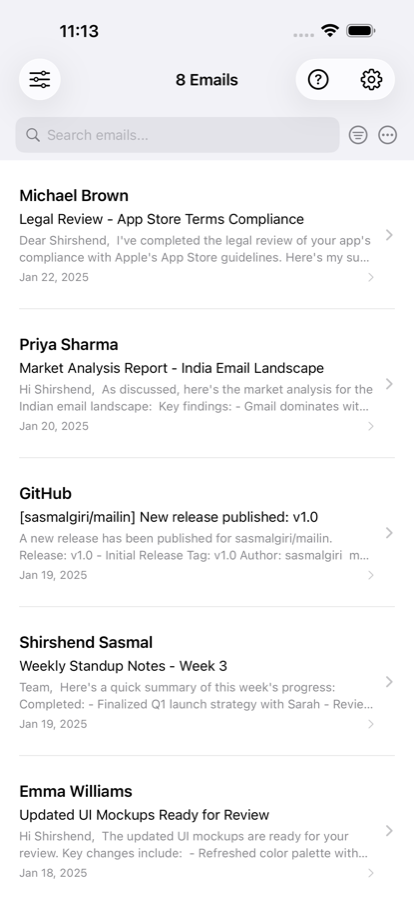
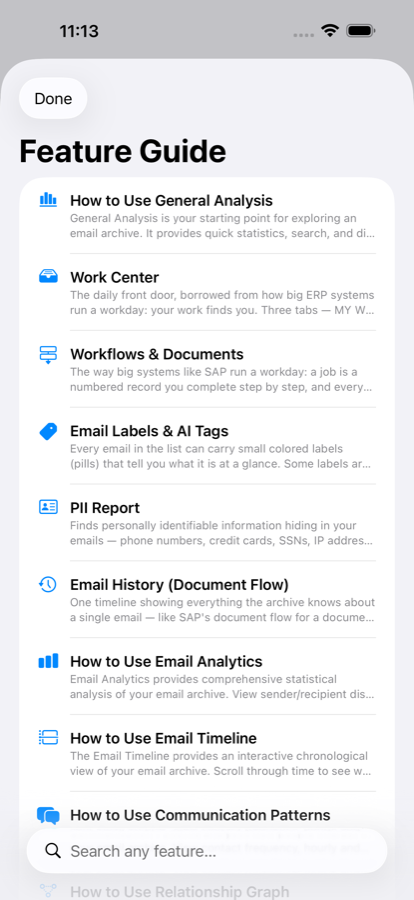
Also on iPhone & iPad

The same on-device engine, Universal Purchase — buy once, use everywhere.

Offline by default — no account required
Zero data collection by the developer
100% private by default
Apple App Sandbox
Zero third-party SDKs
Universal Purchase

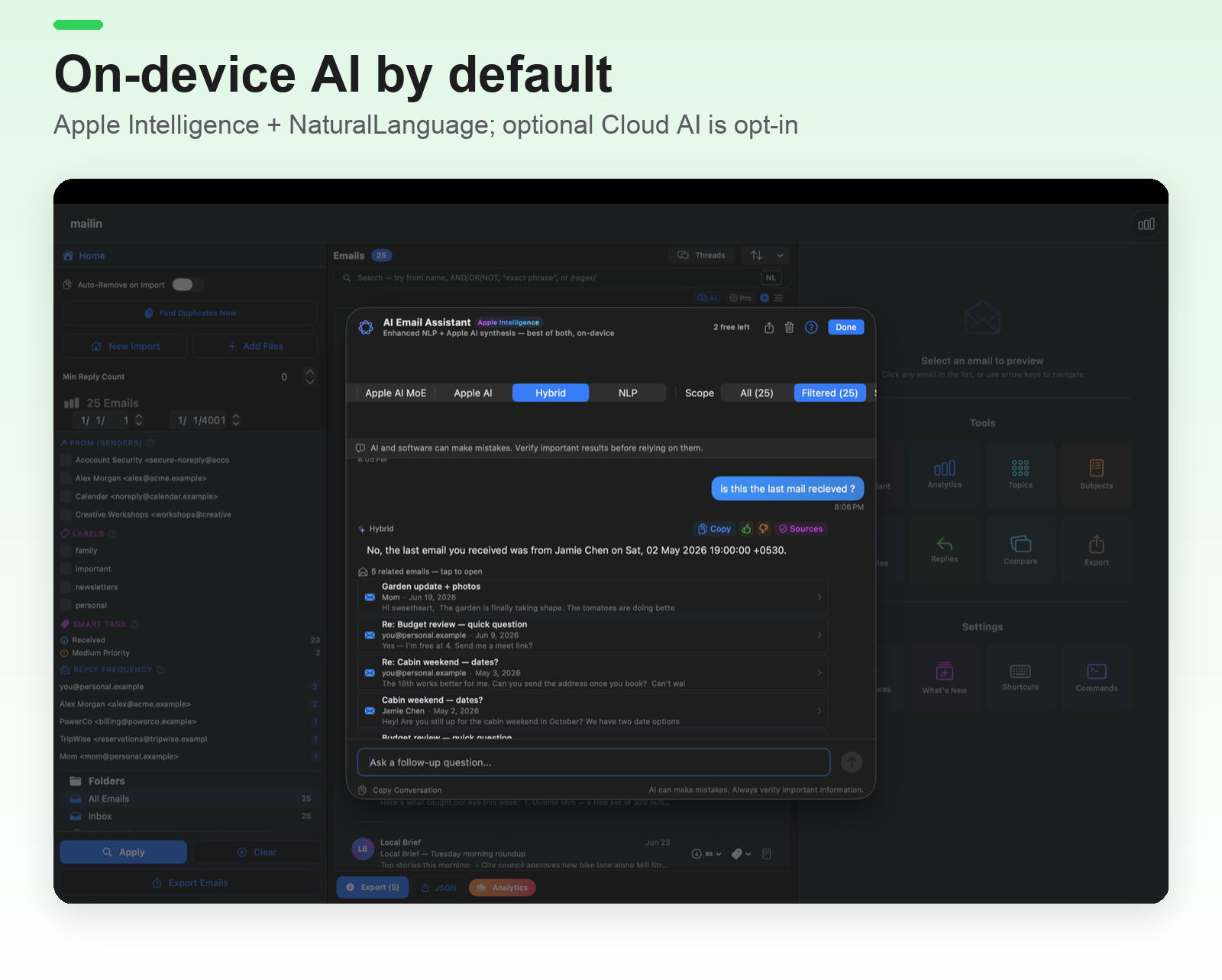
Two AI engines. Both on-device.

By default, mailin runs AI locally using Apple's own frameworks — no cloud, no API key. An optional Cloud AI mode is available if you choose it: opt-in, off by default, and it uses your own provider key.

🧠
Apple Intelligence
Foundation Models on-device. Summaries, Q&A, reasoning. macOS 26+ / iOS 26+.
On-device · Free
📚
Apple NaturalLanguage
Sentiment, language detection, named entity recognition. Works on every Apple device.
On-device · Free
On-device by default.
Apple Intelligence and NaturalLanguage run entirely on your device — no cloud and no API key for the default engines.
The developer collects nothing.
No telemetry, no analytics, no accounts, no third-party SDKs. If you opt into Cloud AI, only the excerpts you choose go to your provider (OpenAI/Anthropic) with your own key — never to us.
Every output is tagged.
AIProvenance shows you exactly which engine produced each result. No black box, no surprises.
Graceful fallback chain.
If Apple Intelligence isn't available on your OS, Apple NaturalLanguage takes over — both fully on-device.

Open every major email archive format

No conversion. No middleman. Drop the file in — mailin parses it natively.

.mbox
Gmail Takeout, Thunderbird, Apple Mail
.pst
Outlook personal archive
.ost
Outlook offline cache
.eml
Standard RFC 822 message
.emlx
Apple Mail message
.msg
Outlook single message
.nsf
Lotus / HCL Notes archive
.zip
Unzip first, then import the mailbox files inside

Everything you need to explore an archive

Import, read, search, and understand years of email — right out of the box, free to start.

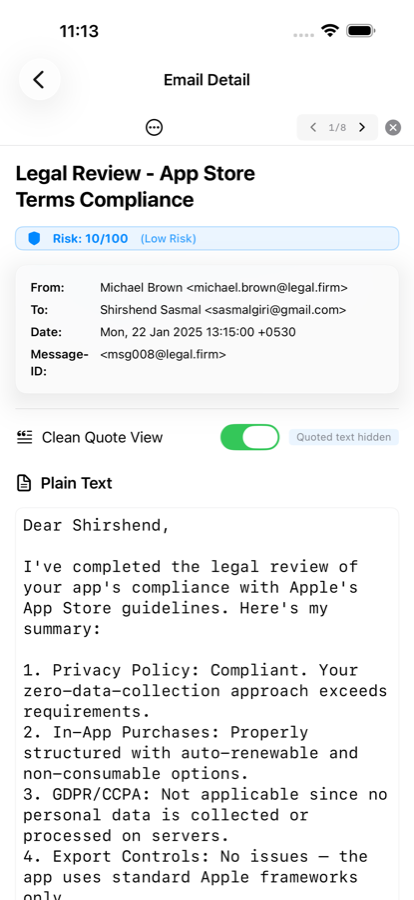
Open every archive format

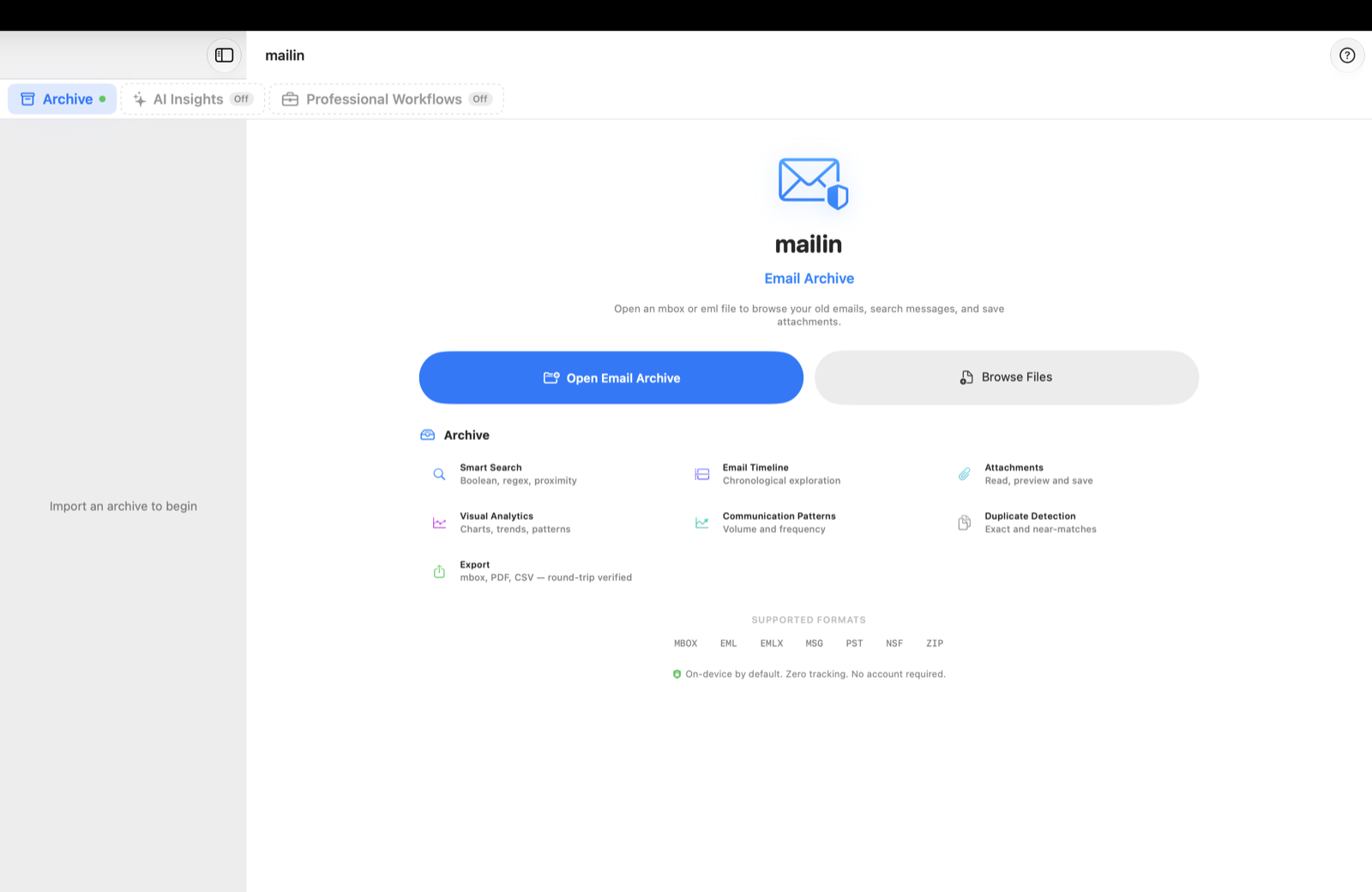
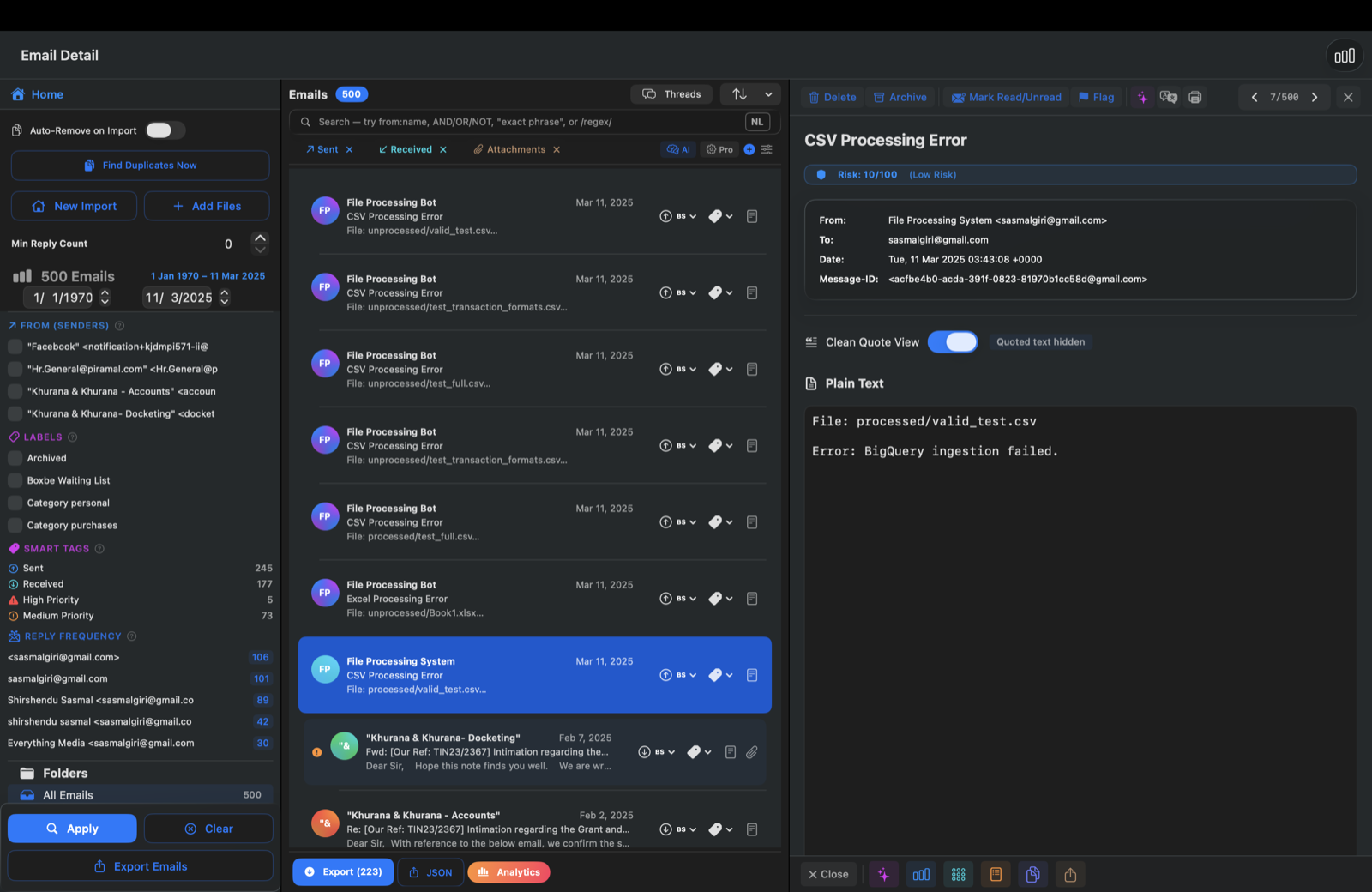
Drag in a Gmail Takeout, an Outlook export, or a folder of messages. mailin parses it natively, threads the conversations, and shows a clean, readable inbox — no conversion, no upload.

  • MBOX, EML, EMLX, MSG, PST, OST, NSF (unzip .zip bundles first)
  • Conversation threading via Message-ID / References
  • Filter by sender, date, folder, attachment
  • Full message view with headers and attachments
mailin inbox with an email archive loaded

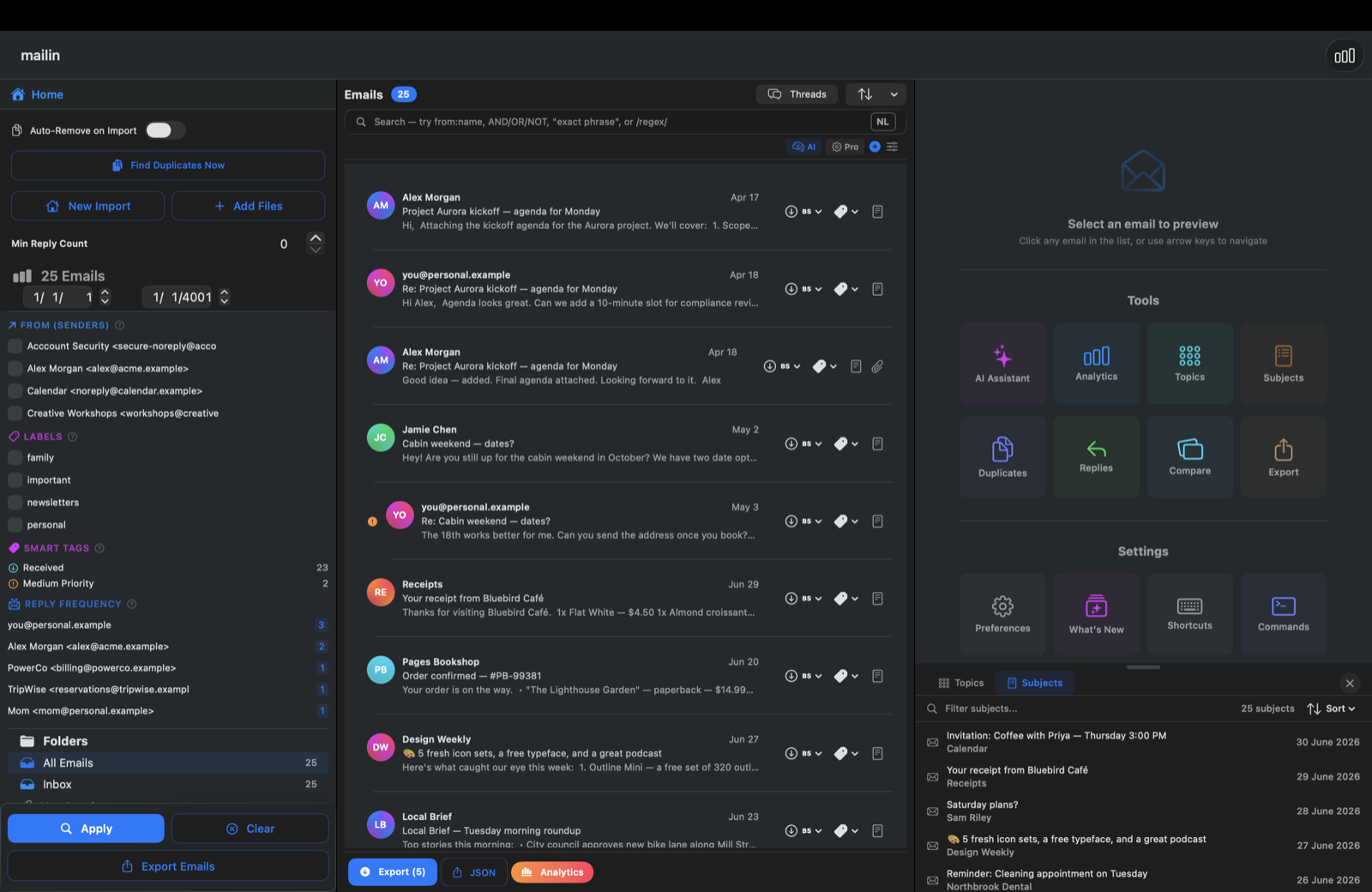
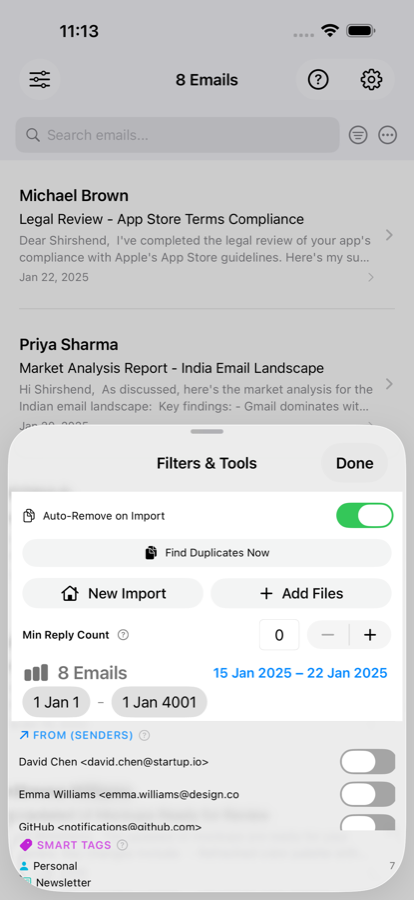
Search like an analyst

A full-text index built entirely on-device, with the query power you'd expect from a real search engine — measured millisecond-level page latency at million-message scale.

  • BM25 relevance ranking
  • Boolean operators (AND, OR, NOT) + regex
  • Proximity search (NEAR/n)
  • Searches subject, headers, and body
mailin search and tools

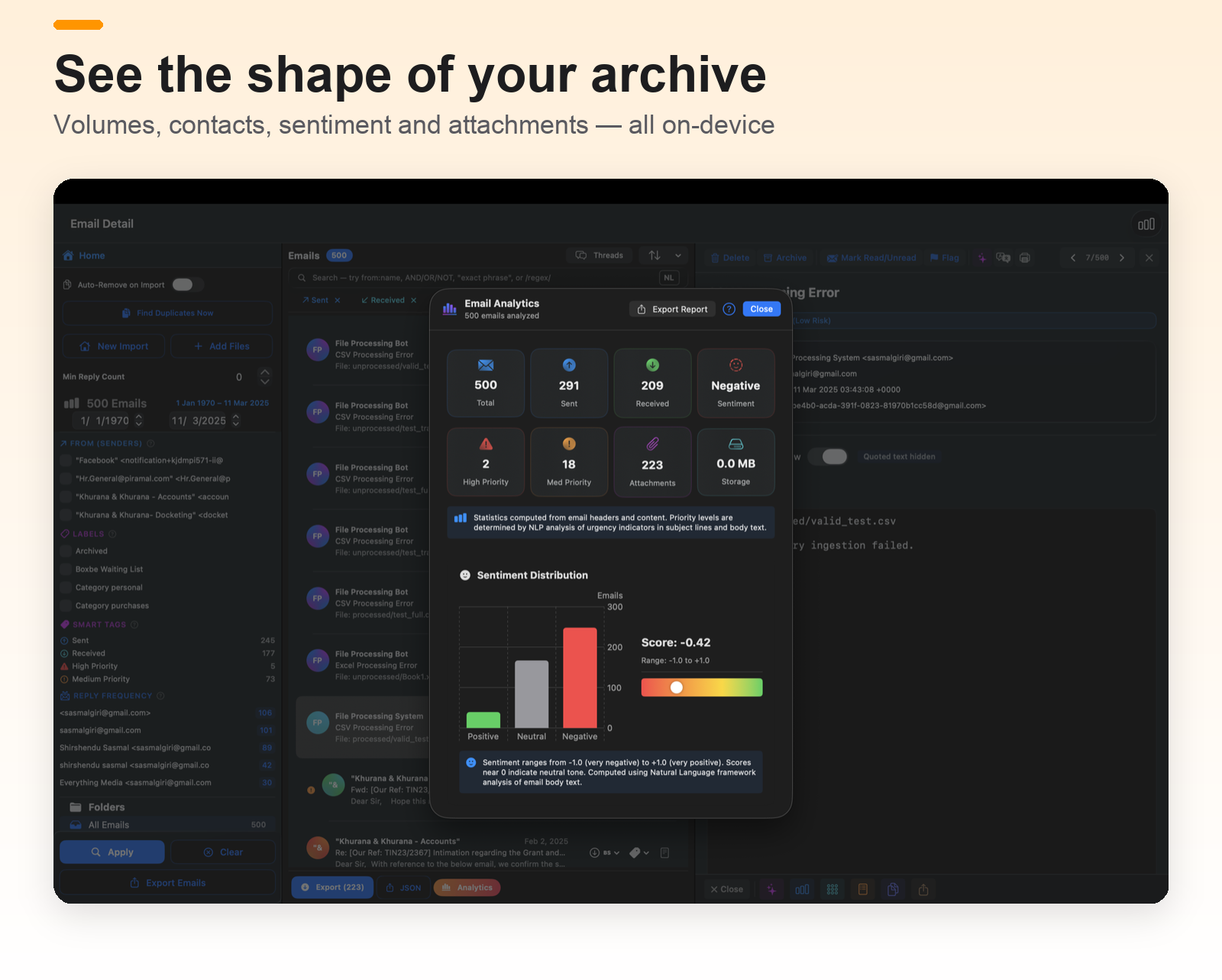
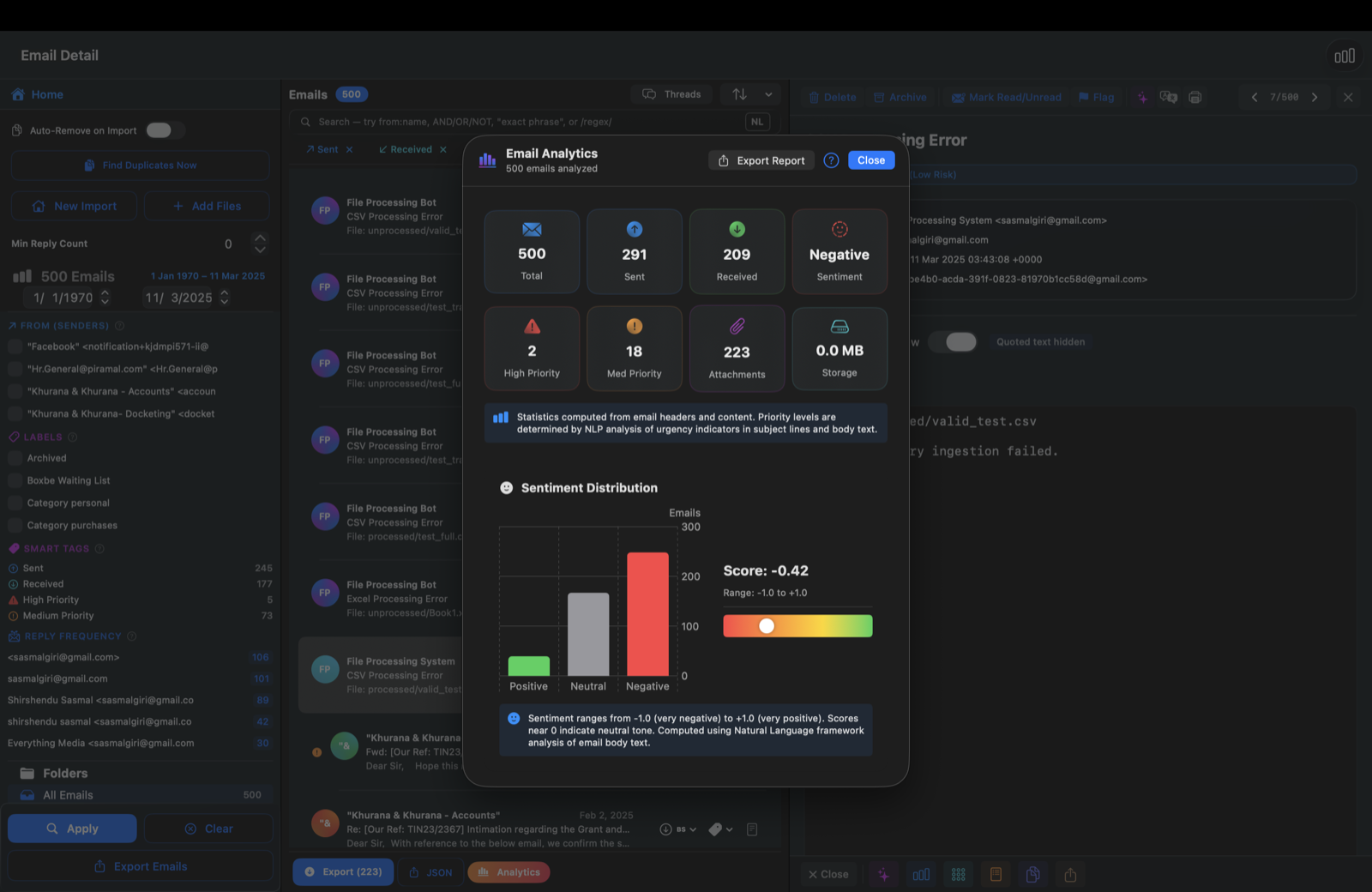
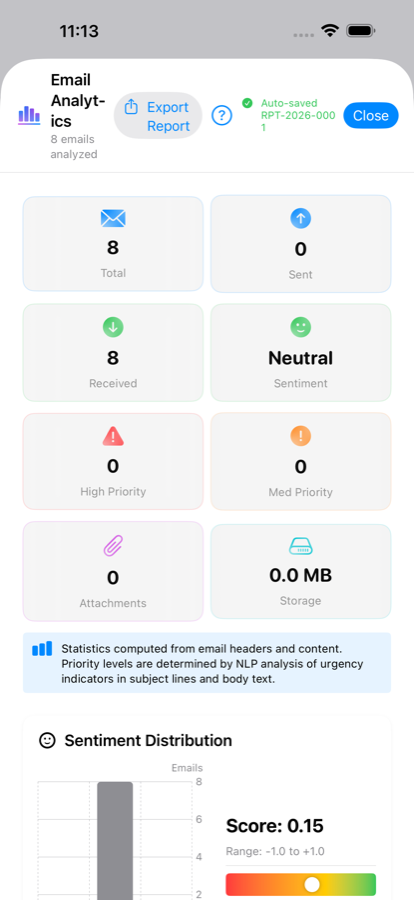
Analytics dashboard

See the shape of your archive at a glance — who you talk to most, when your inbox is busiest, and what's taking up space. All interactive, all on-device.

  • Email volume timeline (sent vs. received)
  • Top contacts and communication pairs
  • Activity heatmap by day and hour
  • Attachment type & size breakdown
mailin analytics dashboard

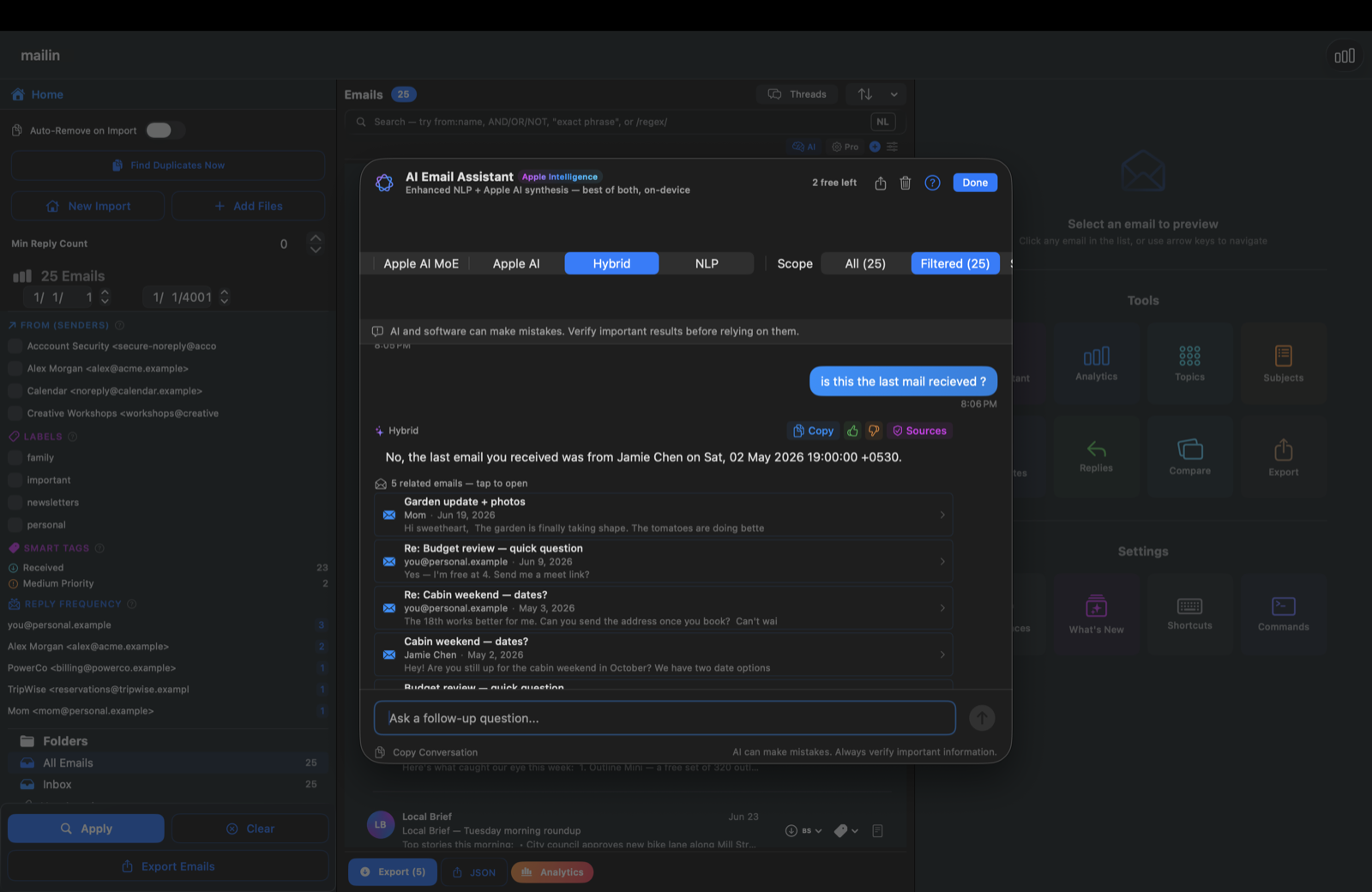
On-device AI, no cloud

Ask plain-language questions about your archive and get summaries, sentiment, and key topics — powered entirely by Apple's on-device AI. Nothing leaves your device.

  • AI Assistant — natural-language questions
  • Sentiment analysis on every email
  • Topic & keyword extraction
  • Smart filters and auto-tagging
mailin on-device AI assistant

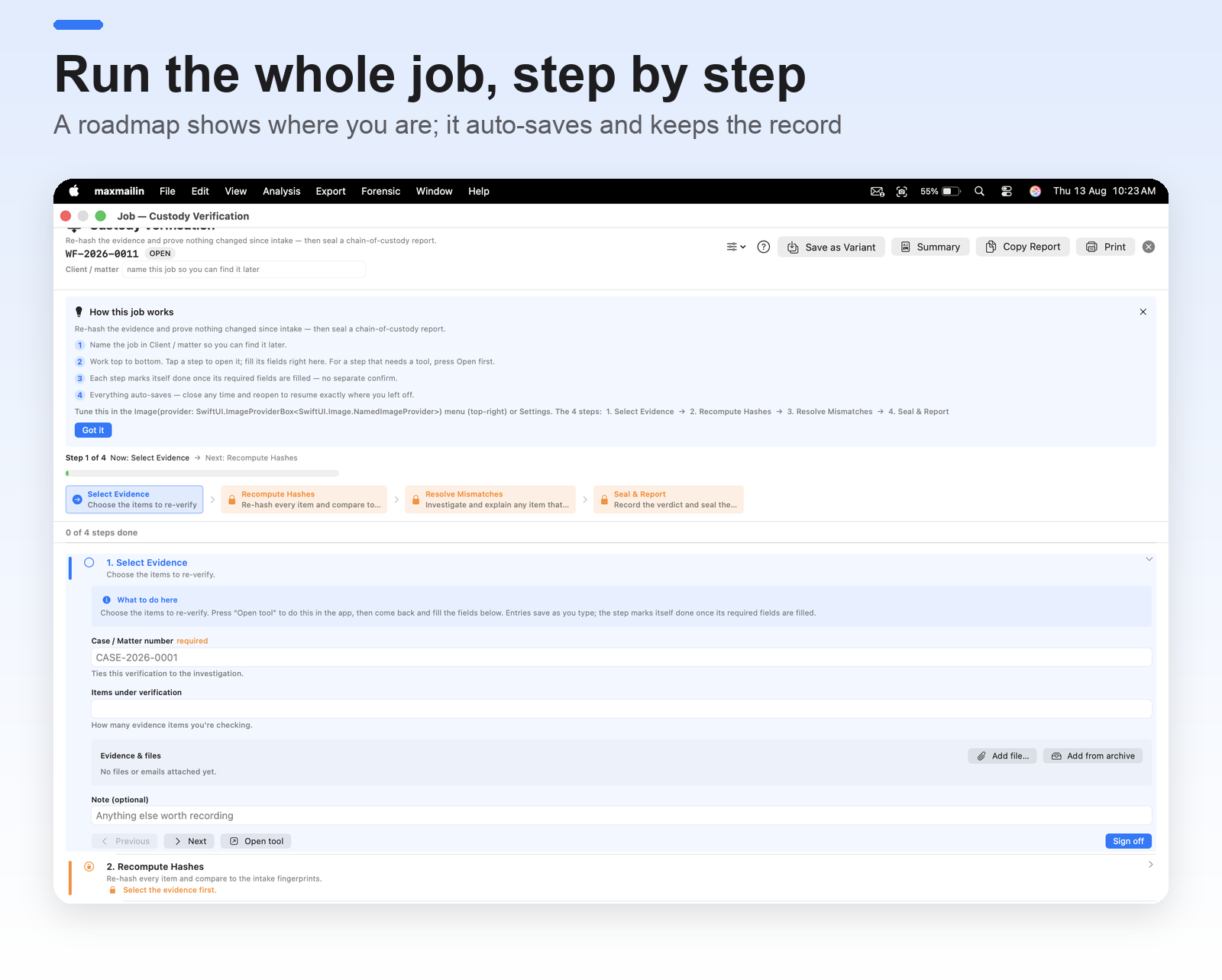
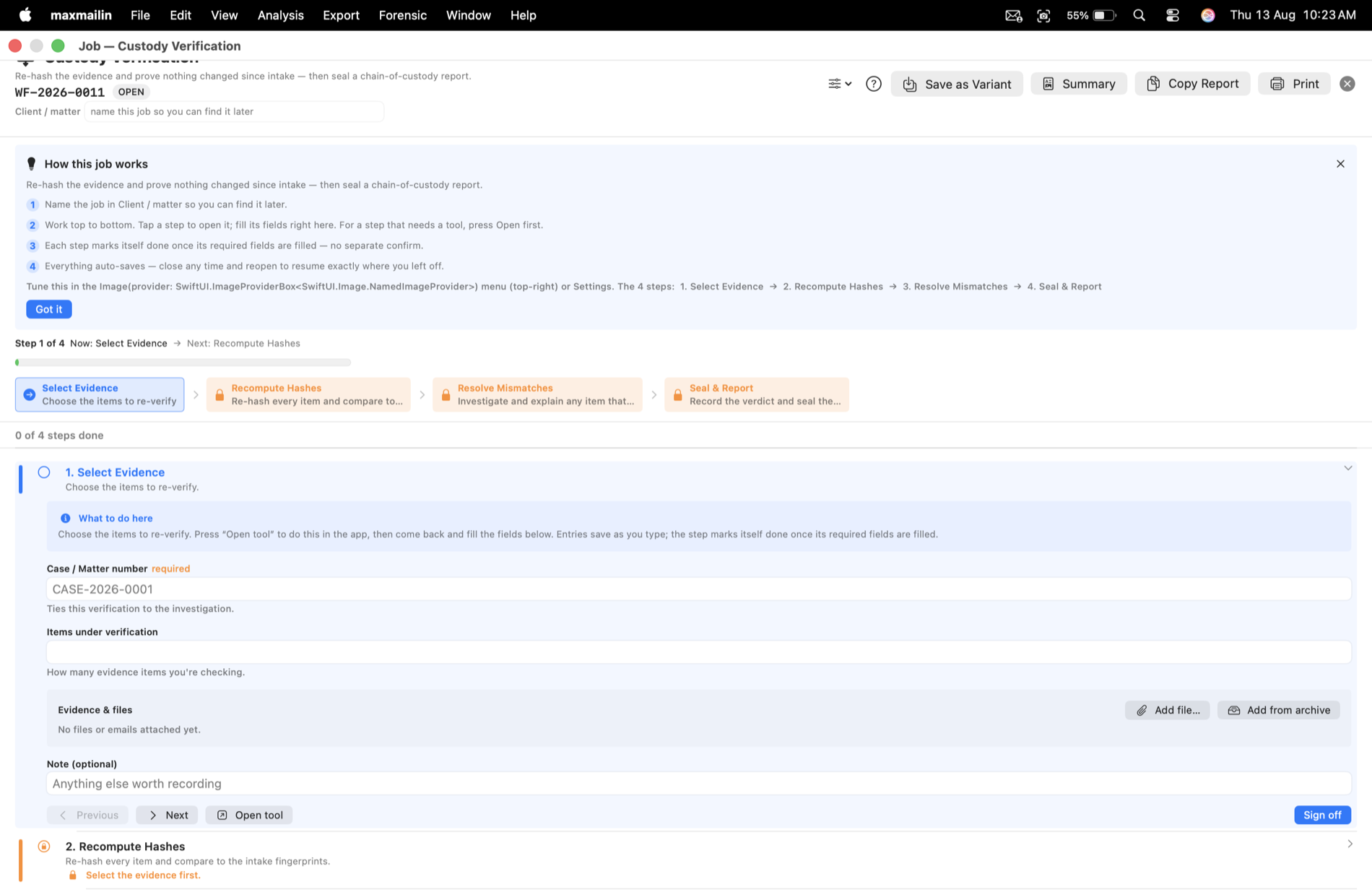
Run the whole job, step by step

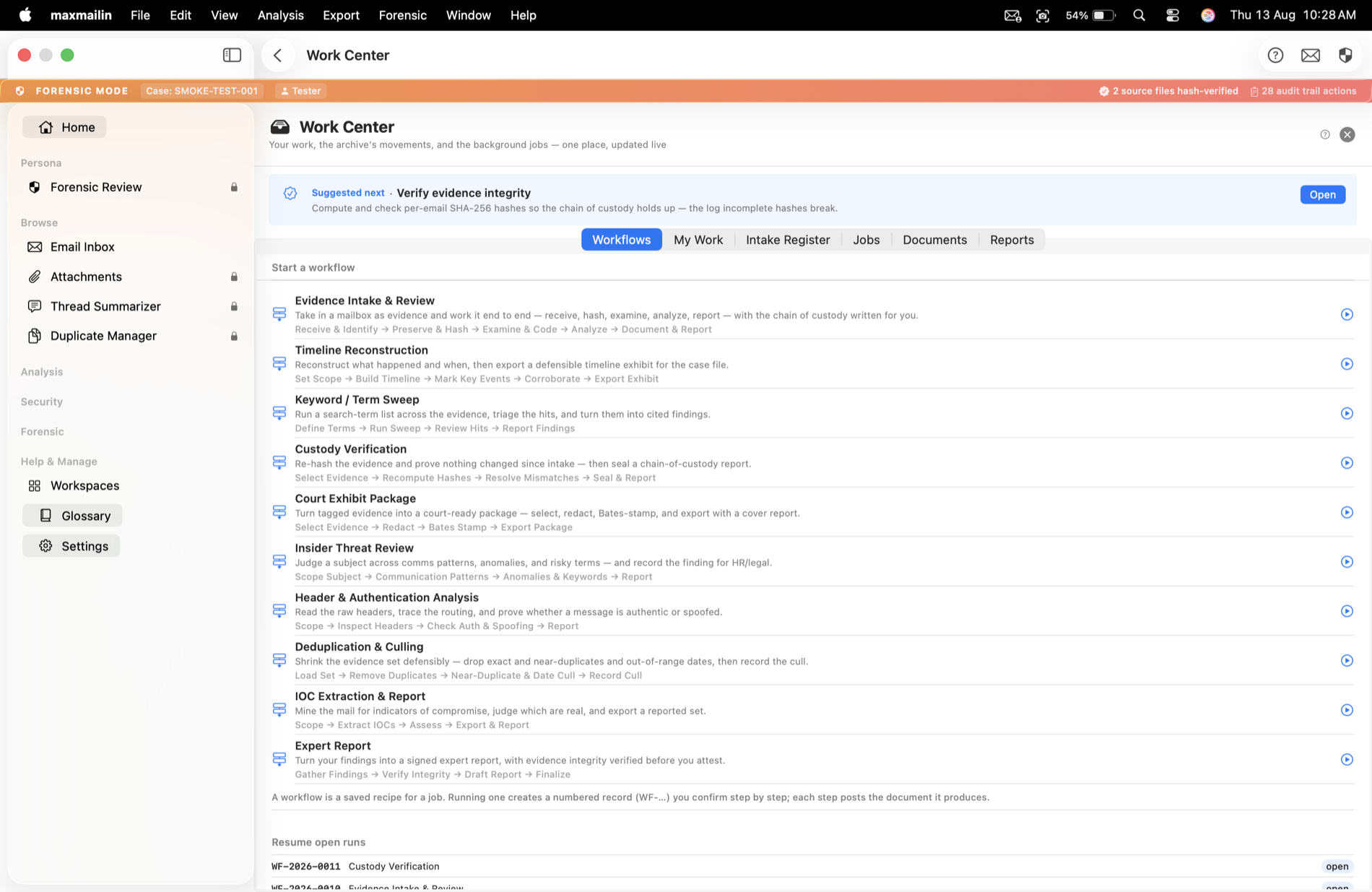
New in 2.0 — pick the job you came to do and mailin walks you through it, wiring the right tools together and keeping a numbered record as you go.

Guided jobs for every role

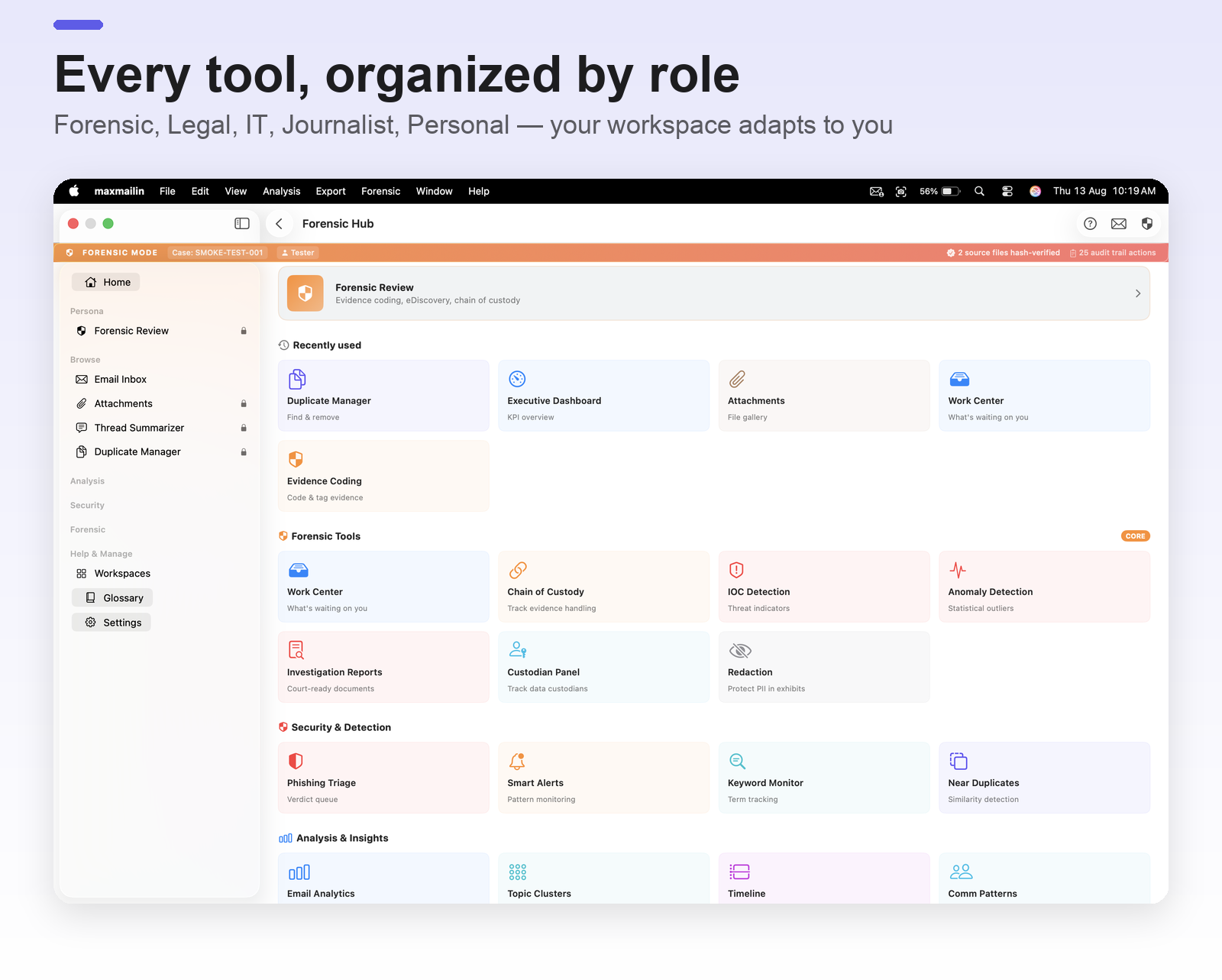
47 built-in workflows across Forensic, Legal, IT, Journalist, and Personal — each named in the terms you already use. A roadmap rail shows where you are and what's next; heavier tools open beside the job, bound to it.

  • Step-by-step runner with a "you are here" roadmap
  • Auto-save as you go; steps auto-complete when filled (both toggleable)
  • Optional one-tap sign-off — who & when — for Forensic & Legal
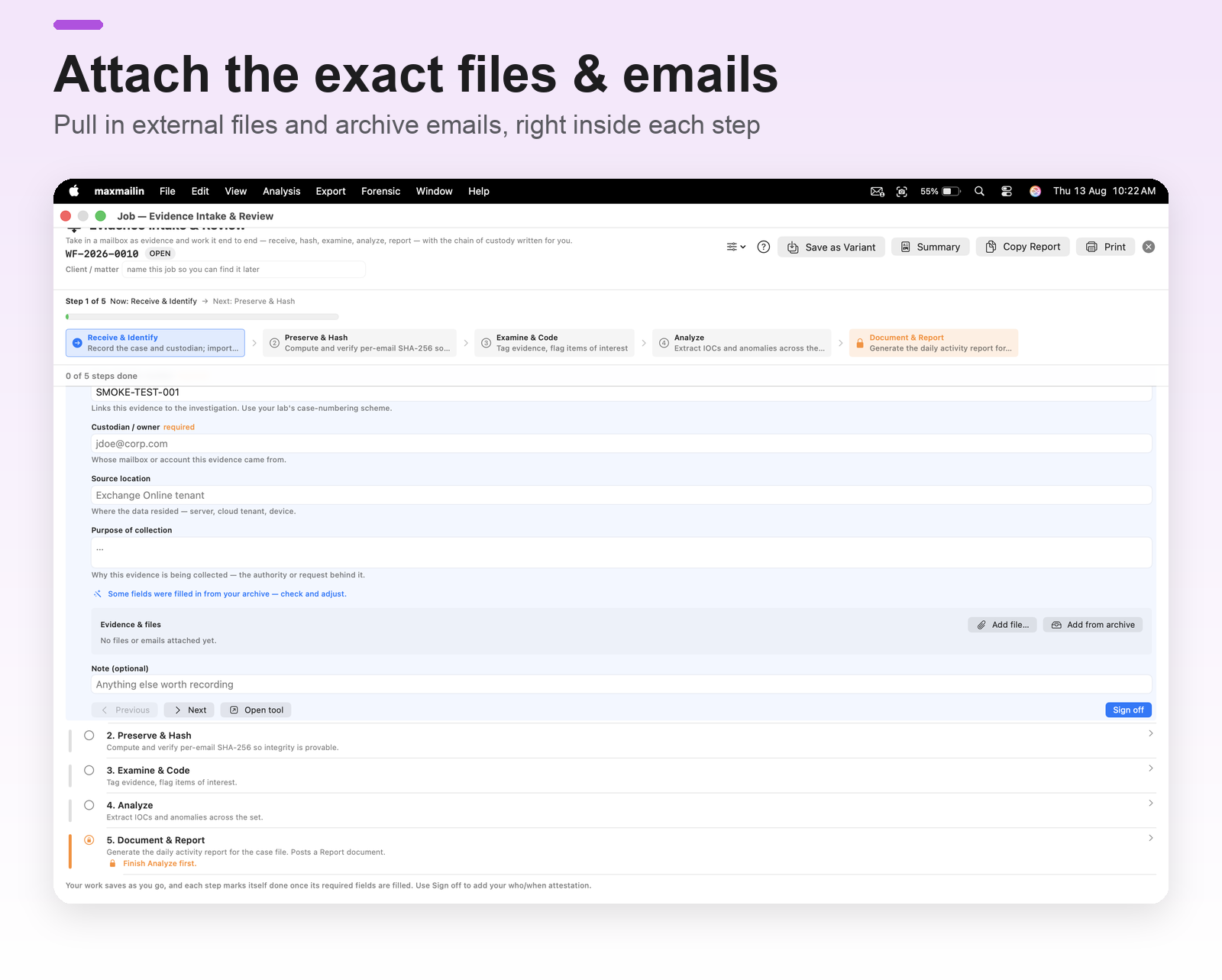
  • Attach the exact files and emails each step relies on
mailin guided workflow runner with roadmap and steps

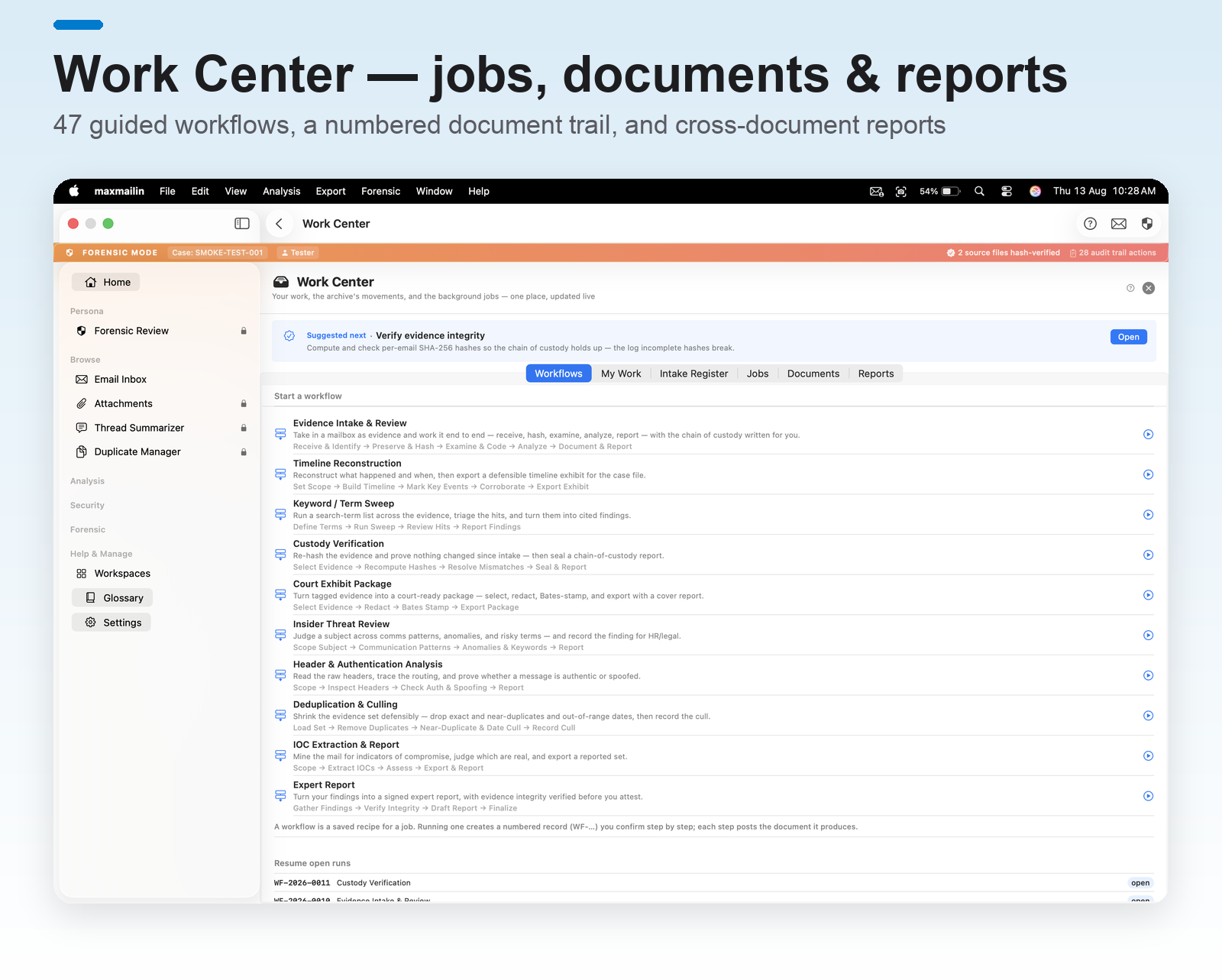
Documents & History — every job saved & reopenable

Whether it's a two-minute task or a full investigation, mailin saves it under a document number you can reopen to the complete saved work, export to CSV, and pull into custom cross-document reports — a clear record trail for your whole archive.

  • A numbered document for every job, big or small
  • Reopen any document to the full saved work, any time
  • Per-email history and end-of-day case activity reports
  • Export to CSV; build custom reports across documents
mailin Work Center document register and history

Everything you need in one app

A comprehensive toolkit for legal, compliance, and investigative work — and a delightful daily driver for anyone with old email archives.

🔍

AI Assistant

Ask plain-language questions about your archive. Powered entirely on-device by Apple Intelligence and Apple NaturalLanguage — no cloud, no API key.

📊

Analytics Dashboard

Email volume timeline, top contacts, activity heatmaps, attachment breakdowns, and relationship graphs — all interactive, all on-device.

🏷️

Smart Auto-Tagger

AI categorizes emails by topic, sender intent, and priority — with manual override and per-tier custom expert configurations.

⚠️

Anomaly Detection

Flag unusual sending patterns, suspicious timing, and IOC artifacts (IPs, URLs, file hashes) extracted automatically.

📄

Flexible Export

Export to EML, JSON, CSV, PDF, Bates-stamped PDF, or Concordance load files. Bulk attachment download. Signed for verification.

📬

Daily AI Digest

Generate a summary of important emails from any time range. Sentiment trends, urgent items, key threads — surfaced automatically.

🛡️

Offline Mode

Enable tamper-evident workflows: requires hash verification and enforces audit logging on every action. Everything stays on-device.

🎭

Persona Profiles

Pick your role — Forensic, Legal, IT Admin, Journalist, or Personal — and mailin tailors the interface and its guided jobs to your work.

🧭

Guided Workflows

47 step-by-step jobs across every role, with a "you are here" roadmap, auto-save, and optional sign-off — mailin wires the tools together for you.

🗂️

Documents & History

Every job is saved under a document number you can reopen, export to CSV, and pull into cross-document reports — plus per-email history and case activity.

🔗

SPF / DKIM / DMARC

Read the SPF / DKIM / DMARC results reported by the receiving mail server. Inspect routing chains, MIME trees, and attachment integrity in technical detail.

🕵️

PII Detection

Scan on-device for personally identifiable information — emails, phone numbers, SSNs, cards, IPs and more — grouped by type with source and risk, exportable to CSV.

📑

Duplicate Manager

Find and remove exact duplicates archive-wide, keeping one clean copy. Deletions stick — re-importing the same file never silently brings them back.

🔔

Smart Alerts

Flag the patterns that matter — senders, keywords, timing and thresholds — so the important messages surface without hunting for them.

🧵

Thread Story

One click reconstructs a whole conversation as a cited, chronological timeline — with an optional on-device AI narrative over just that thread.

📊

Executive Dashboard

A one-glance KPI overview of the archive — volumes, top contacts, activity and risk — ready to hand to a manager or drop into a report.

👥

Custodians & Legal Holds

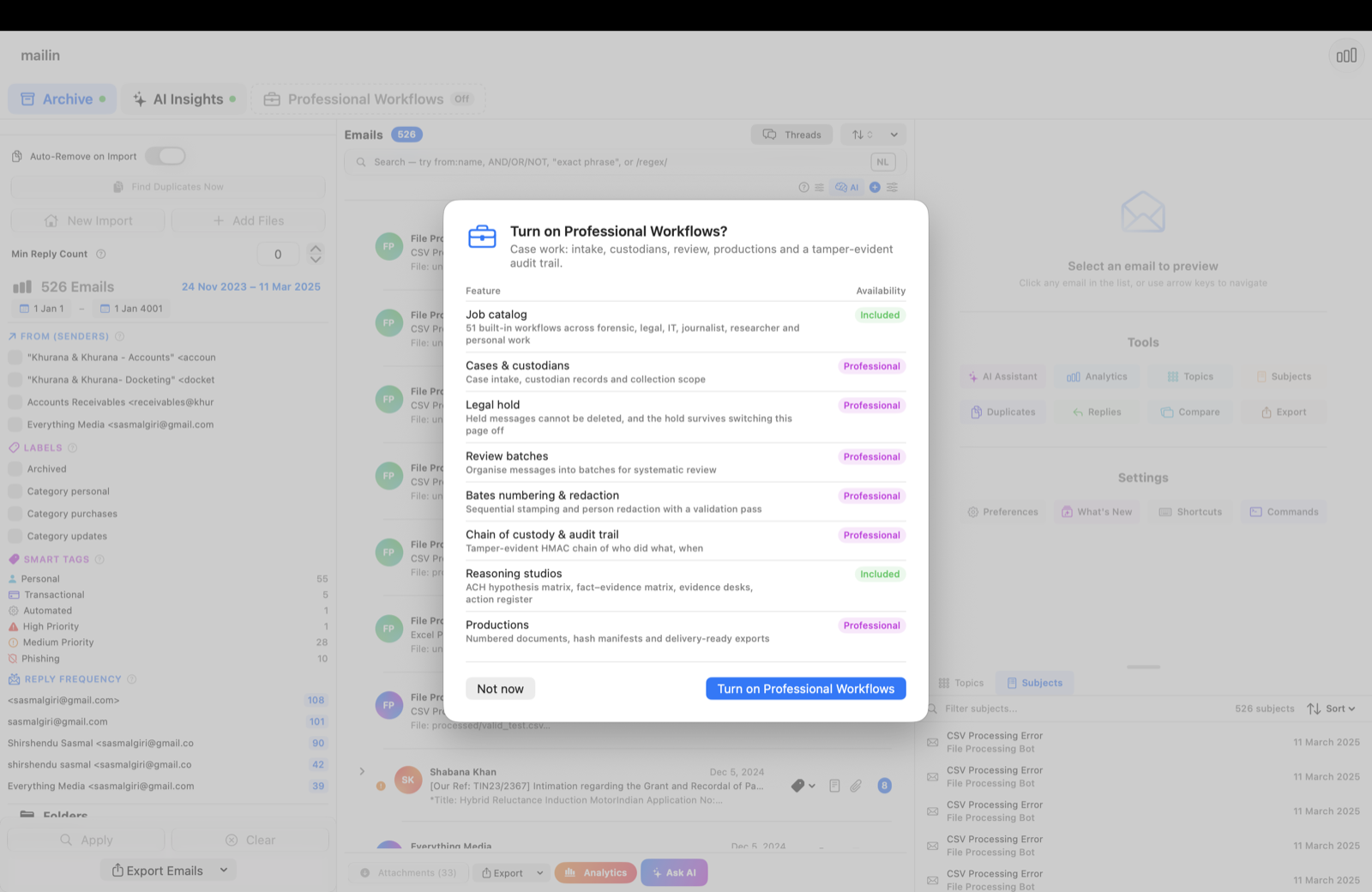
Track custodians, assign their mail, and place legal holds that protect held messages from deletion — the backbone of a defensible collection.

Who uses mailin?

Anyone who needs to make sense of an email archive — at any scale.

⚖️

Lawyers & Paralegals

Review email evidence, run privilege checks, build review batches, and produce Bates-stamped sets for disclosure.

🔬

Analysts & Investigators

Hash-verified imports, tamper-evident audit logs, signed exports, and verifiable artifacts for high-integrity workflows.

💻

IT Admins

Inspect SPF/DKIM/DMARC headers, trace routing, find phishing patterns, and investigate compromised accounts.

📰

Journalists

Track sources, build story timelines, find connections across thousands of messages, and protect source confidentiality.

🔐

Privacy-Conscious Individuals

Analyze your own email history with confidence. Nothing ever leaves your device unless you explicitly choose it.

Universal Apple-native

Buy once. Use everywhere. Your archive stays strictly on-device on each of your Apple devices.

📱
iPhone
iOS 17.6 and later
📲
iPad
iPadOS 17.6 and later
💻
Mac
macOS 14.6 and later
Universal Purchase

One purchase. All three platforms.

Subscribe or buy once, and mailin works across every Apple device signed into your Apple Account.

Under the hood

For the technically curious — exactly how mailin works.

🧩

Parsers, hand-written in Swift

MBOX, EML, EMLX, MSG, PST, OST, NSF — all parsed natively. RFC 822 + full MIME compliance: multipart, base64, quoted-printable, charset decoding. Streaming parser so 10GB+ Gmail Takeouts don't OOM.

🔎

Search: BM25 + boolean + regex + proximity

Full-text index built locally. Operators: AND/OR/NOT, regex, NEAR/n. Indexes subject, headers, body. Threading via Message-ID / In-Reply-To / References.

🧠

On-device AI stack

Apple NaturalLanguage for sentiment, entities, language detection. Foundation Models (macOS 26+) for summaries and Q&A. All local — no cloud model, no API key, no network round-trip.

🔒

Privacy enforcement, not just claims

Offline by default. The only feature that transmits anything is the optional, opt-in Cloud AI mode (using your own OpenAI/Anthropic key) — off unless you enable it. No telemetry, no analytics, no data collection by the developer. Every AI output is tagged with the engine that produced it (AIProvenance).

🛡️

Data integrity

SHA-256 hash on every email at import. HMAC-chained audit log where each entry signs the previous (tamper-evident). Ed25519-signed exports. Bates numbering with configurable prefix and padding.

Honest, transparent pricing

Start free with 500 emails. Upgrade when you need more. Lifetime tiers available — no recurring charge.

Free

Try mailin with no commitment
Email limit500
Price$0
  • Open any supported format
  • Basic search and filters
  • On-device NLP (sentiment, topics)
  • Try with sample data

Professional

For legal, compliance, and enterprise teams
Monthly$9.99
Yearly$79.99 (save 33%)
Lifetime$249.99 one-time
  • Everything in Personal
  • Offline Mode + tamper-evident audit log
  • Bates numbering & Concordance export
  • Ed25519-signed exports
  • Predictive coding (TAR)
  • Redaction, GDPR report, legal holds

Ready to take control of your email archives?

Download mailin today on iPhone, iPad, or Mac. Free tier included. No signup required.

Download on App Store Contact Support

Direct link: https://apps.apple.com/app/mailin/id6767245397

Universal Purchase · iOS 17.6+ · macOS 14.6+ · Free tier always available